The keys
Type the lead’s number, copy your text message, log the call and open the next or previous lead, each from the keyboard. Pick your own keys in Chrome.
Features
SplitNextLane’s features are a Chrome side panel that keeps the lead beside your dialer, carrier records built in instead of a scraper, and a live view of every SDR’s work, all in one package, Core.
Side panel · Core
A Chrome side panel for your SplitNextLane account. It opens beside whatever dialer you use, in the same tab, so a calling block keeps its pace.
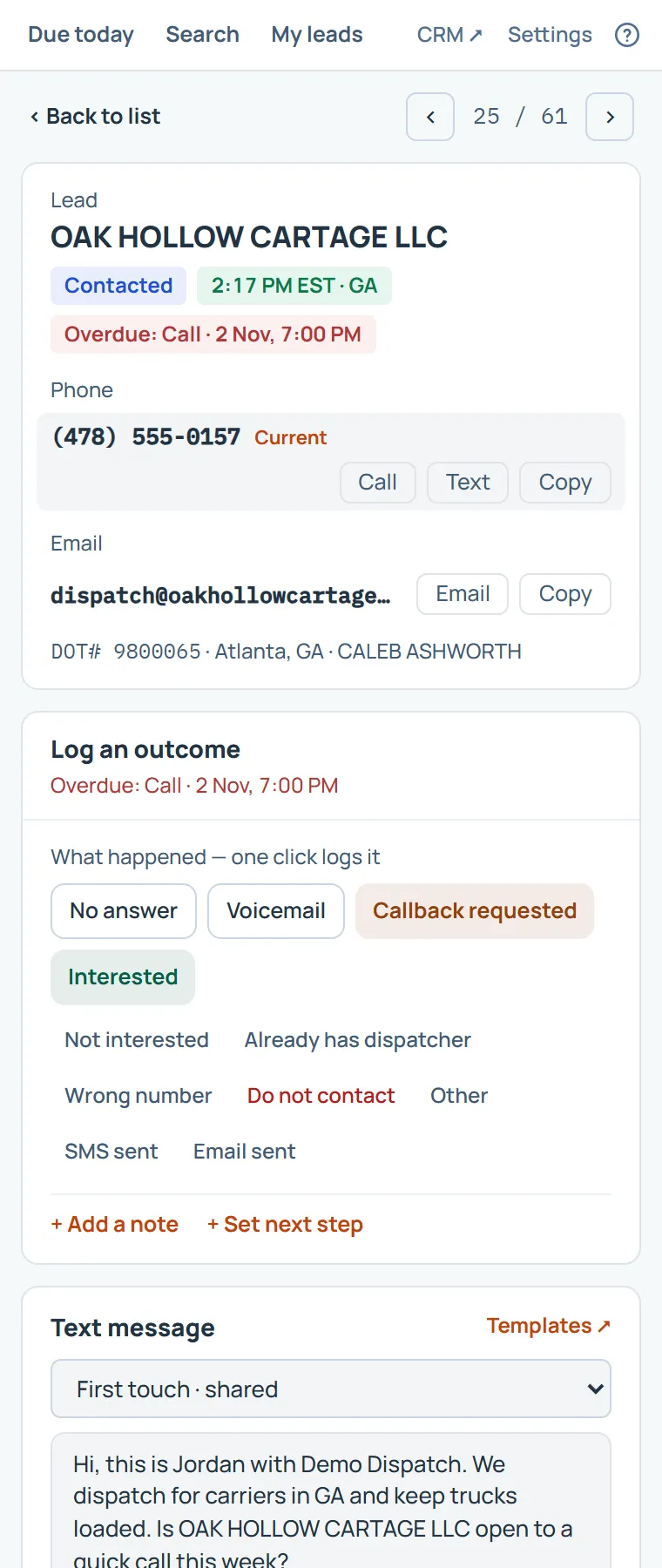
Type the lead’s number, copy your text message, log the call and open the next or previous lead, each from the keyboard. Pick your own keys in Chrome.
The panel opens on your dialer’s tab in Chrome, and on that tab only. Typing at the cursor works where your dialer takes a paste; where it doesn’t, the keys copy and you paste.
No answer, voicemail, interested: one click logs the call with your note and next step. It lands in the CRM at once.
Your SMS templates, filled in for the carrier. Copy the number and the message, send it from your phone or dialer, and log it as sent.
Follow-ups due today, your leads with their filters, and Carrier Search, all in the panel. Claim a carrier by logging the first call.
Choose which sections show, the order of your templates, your shortcuts and whether a shortcut also types at the cursor.
It does not read, control or automate your dialer or any other website, and it sends nothing on your behalf. A shortcut copies a number or a message and, if you turn that setting on, types it where your cursor is, as a paste would. Your calls and texts are yours to make. The Terms have the full wording.
Carrier Search · Core
No lookup tabs, no scraper, no lead lists, no CSV imports. Our data pipeline gathers the active for-hire freight carriers from public government records, cleans them and combines them into one record per carrier, every day. Search them, save the search, and claim the carriers you want to work.
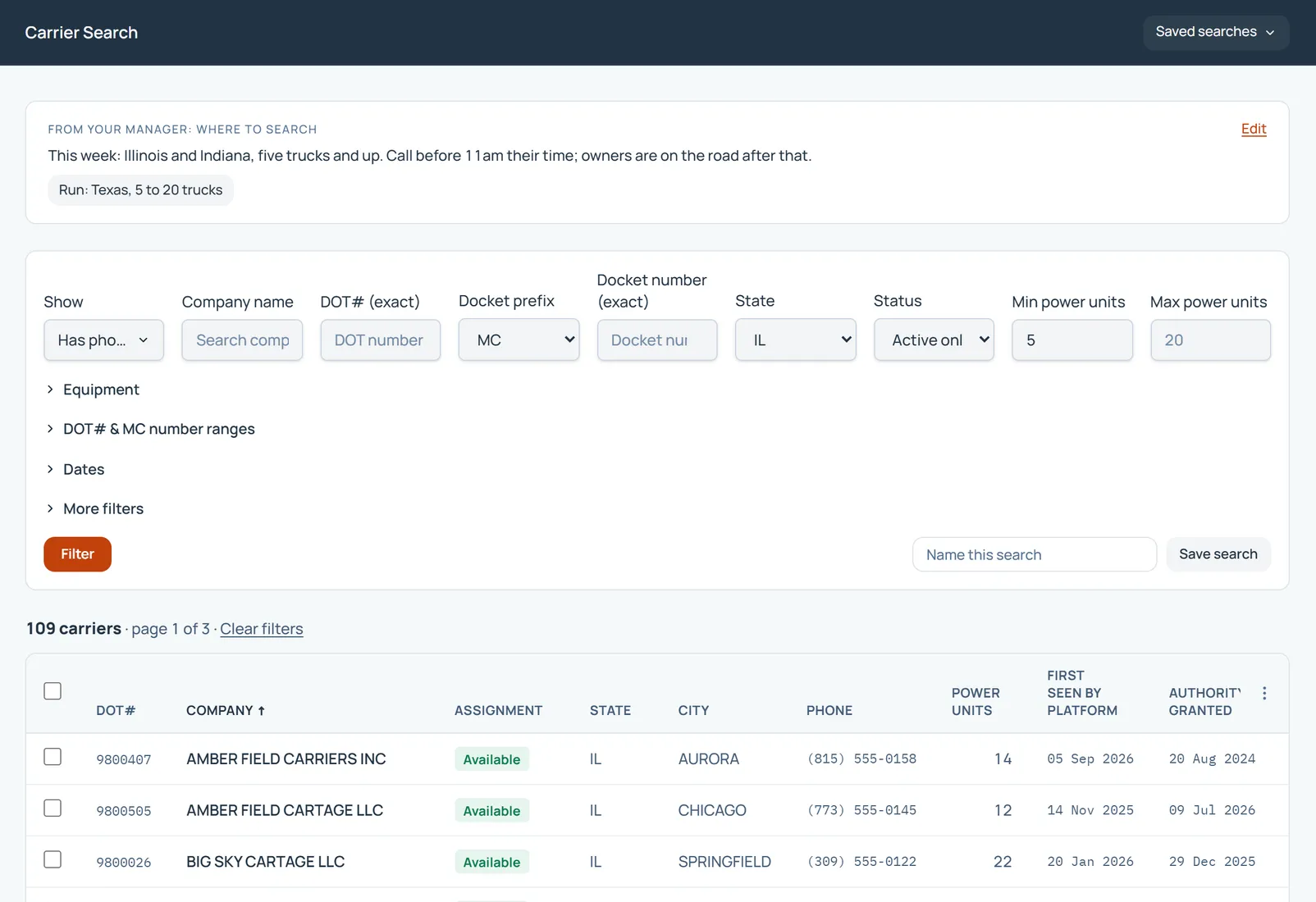
Set the targets, watch the numbers move, and step in before a lead goes cold. Your whole desk on one screen.
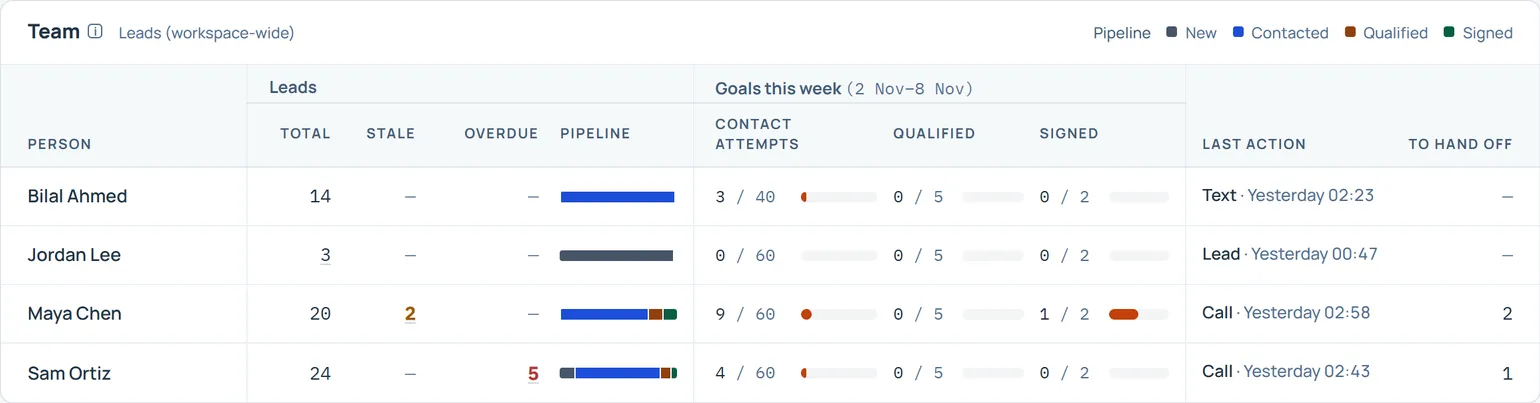
Weekly and monthly targets for contact attempts, qualified leads and signed carriers. One default for the team, overrides for anyone who needs them.
Each SDR’s latest action and what they’ve logged today, refreshed every minute. No more asking for updates.
Leads worked, qualified and signed, with conversion rates and contact attempts over time. Export any report to CSV.
Overdue follow-ups and stale leads are flagged per person, and any lead can be reassigned from its page.
Accountability, not surveillance: Split Next Lane tracks the work your SDRs log, never whether they’re online, which pages they open, their device or their location.
Leads · Core
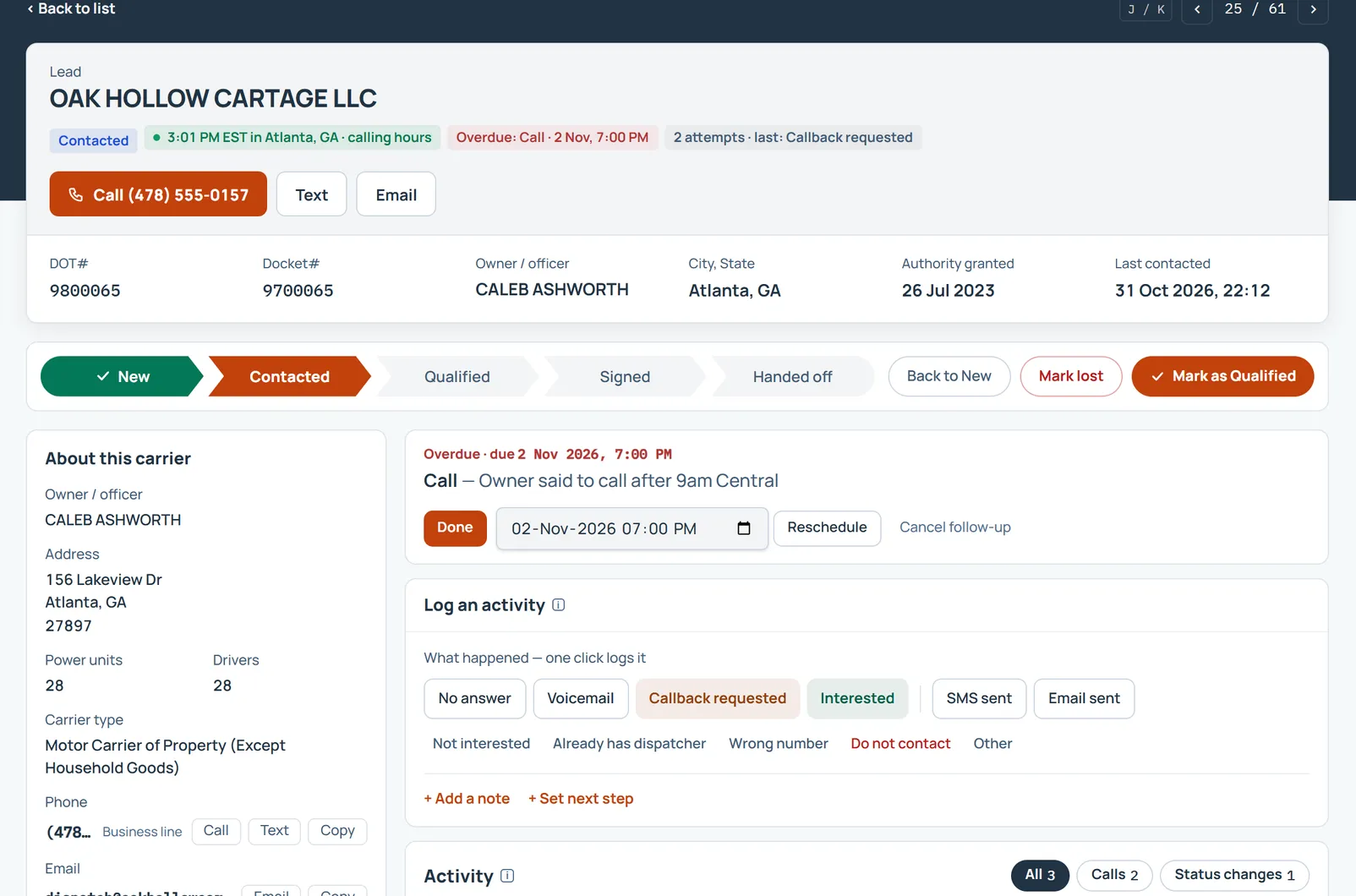
Every lead has one owner and one status, so nobody calls the same carrier twice and nobody drops a warm one.
Follow-ups · Core
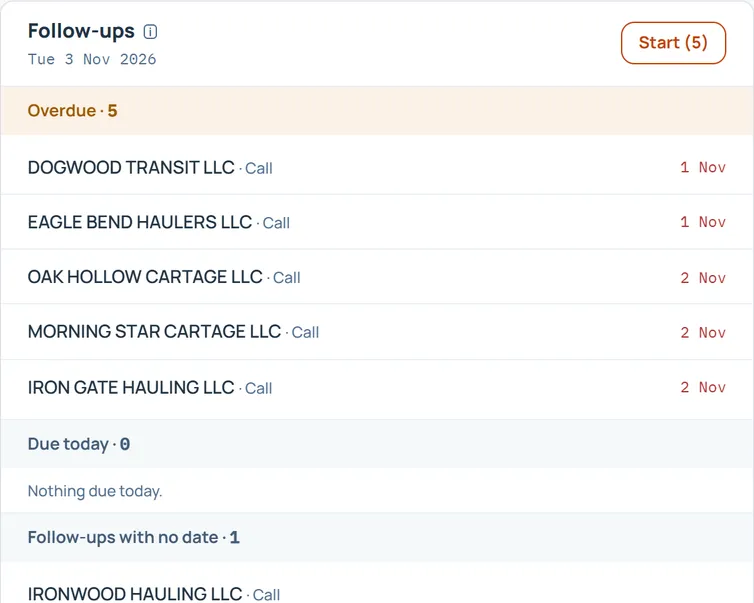
Call from your own phone, then log what happened in a click. Your Dashboard lists the follow-ups due today, and Start walks you through them in order.
From the first search to the signed carrier, the work stays in one place.
When a carrier signs, a contract record is created and the Manager is notified, then acknowledges the handoff.
Managers run the workspace and assign the work; SDRs work their leads. 5 users included, more when you need them.
Every agency gets its own workspace. Your leads, notes and outcomes are never visible to anyone else.
Questions or problems? Open a support ticket from inside your workspace and follow it to the answer.
Self-service and comprehensive support
Your SDRs learn Split Next Lane as they use it, so they are working leads from day one. When you need us, support is a ticket or an email away.
The first time you open a page, a short guided tour shows you around it. Each page also has a written guide, a click away in Help.
Send a support ticket from inside the CRM, or email support@splitnextlane.com, and we reply.
Help on every page has Suggest a feature. The team reads every suggestion when deciding what to build next.
Start with a free trial today. No card needed.