Log the call in one click
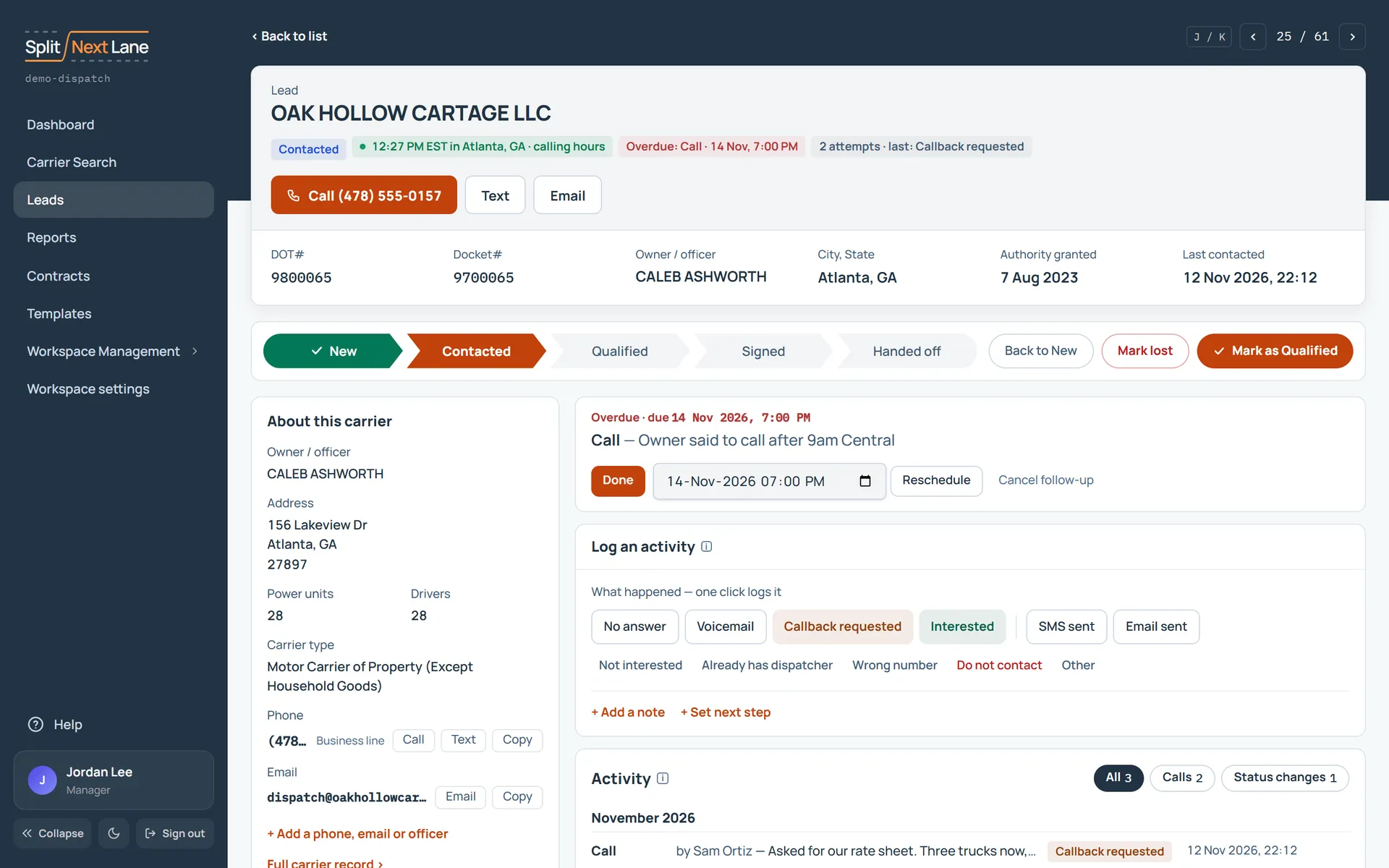
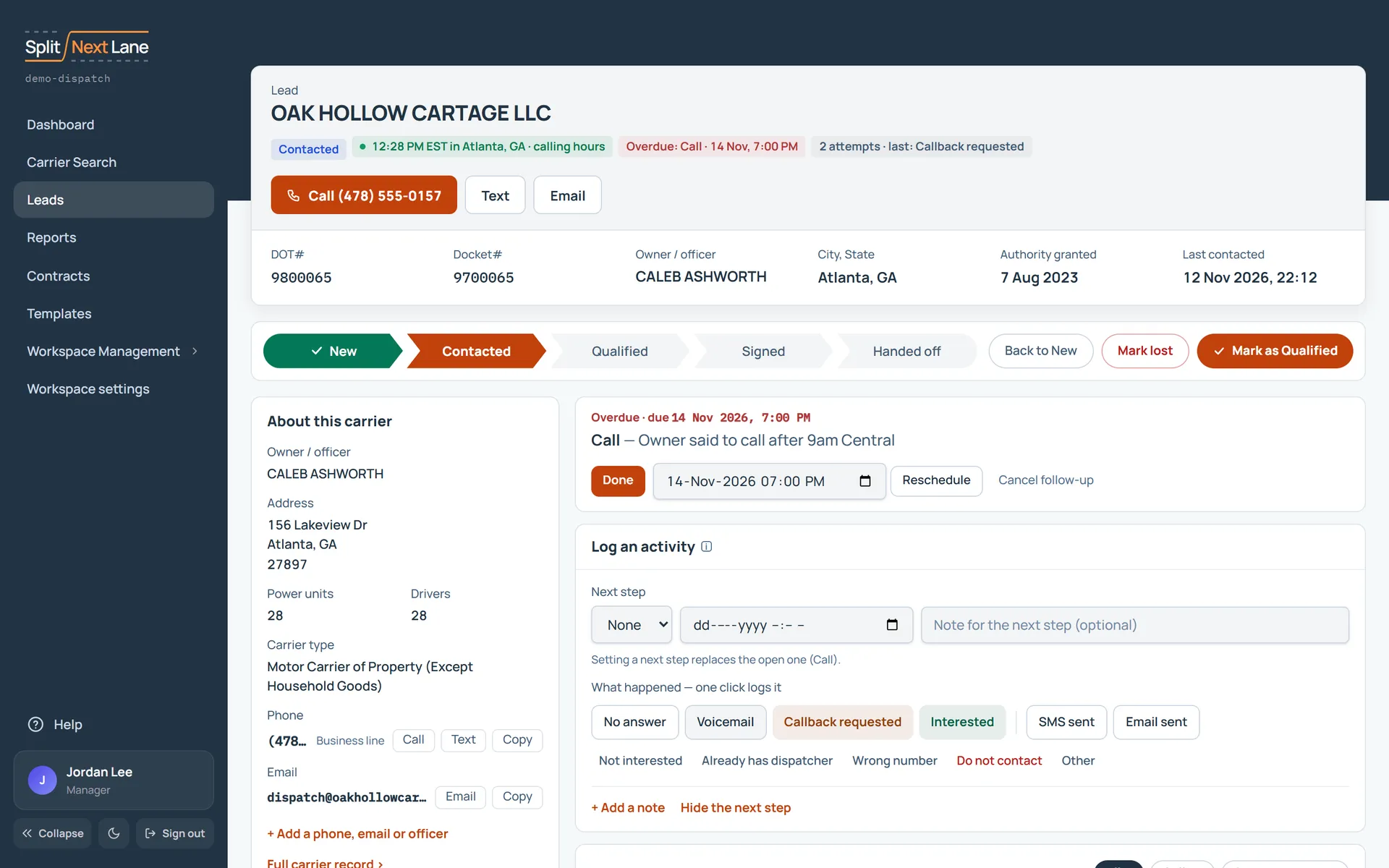
No answer, voicemail, interested: one click in the panel logs the outcome with your note and next step, straight into the CRM. Prefer the keyboard? Give any outcome a key of your own in Chrome.
SplitNextLane is the sales CRM for truck dispatch agencies, with a Chrome side panel that keeps the lead beside your dialer.
It types the number, logs the call and opens the next lead, with carrier records built in and your whole calling team in one view.
The side panel is included with Core, for every user.
See the workflow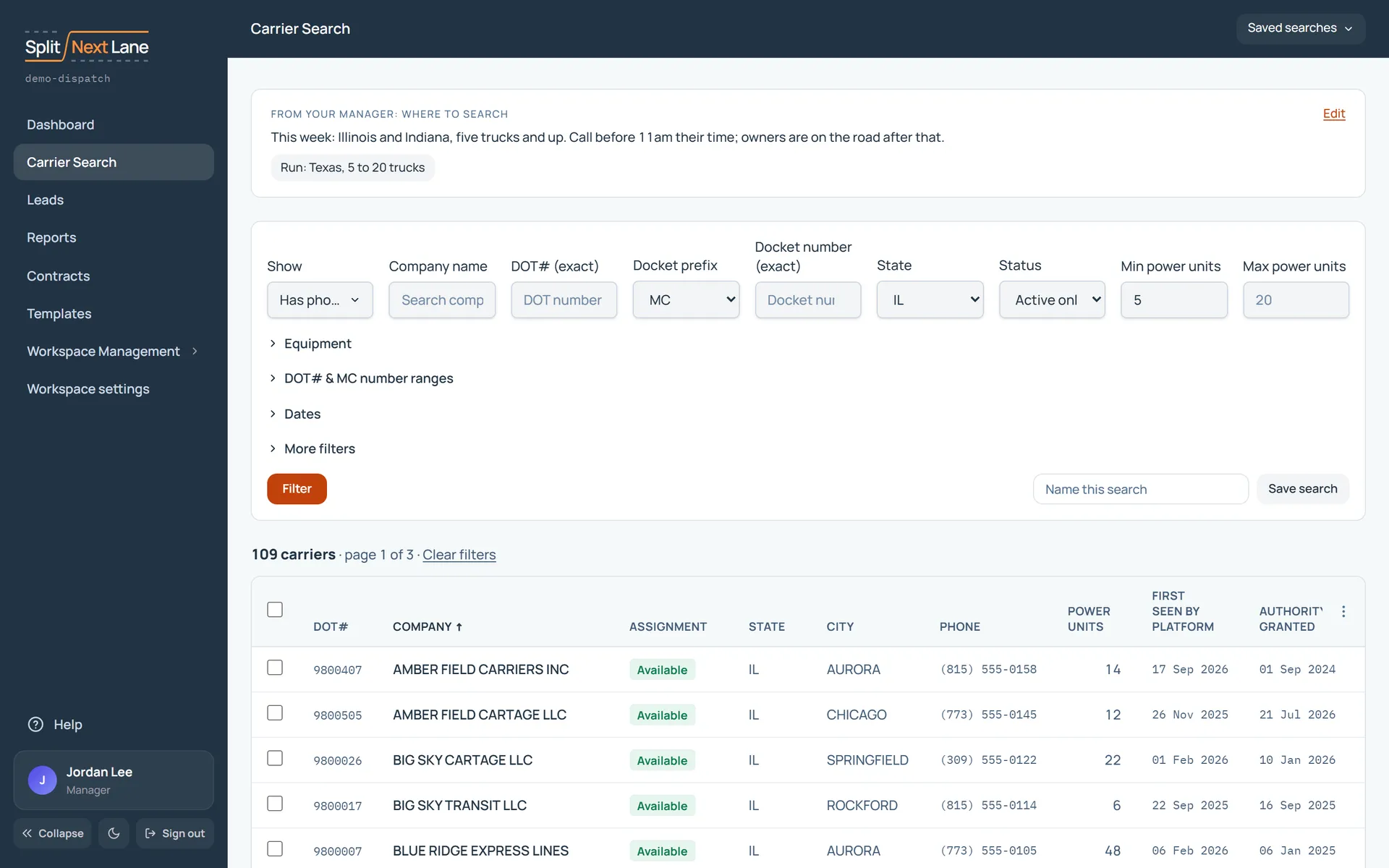
Real product screens with sample carrier data.
The side panel · included with Core
The SplitNextLane side panel opens in Chrome beside whatever dialer you use, on the same tab. It types the number and your message, logs the call and opens the next lead, so a calling block keeps its pace.
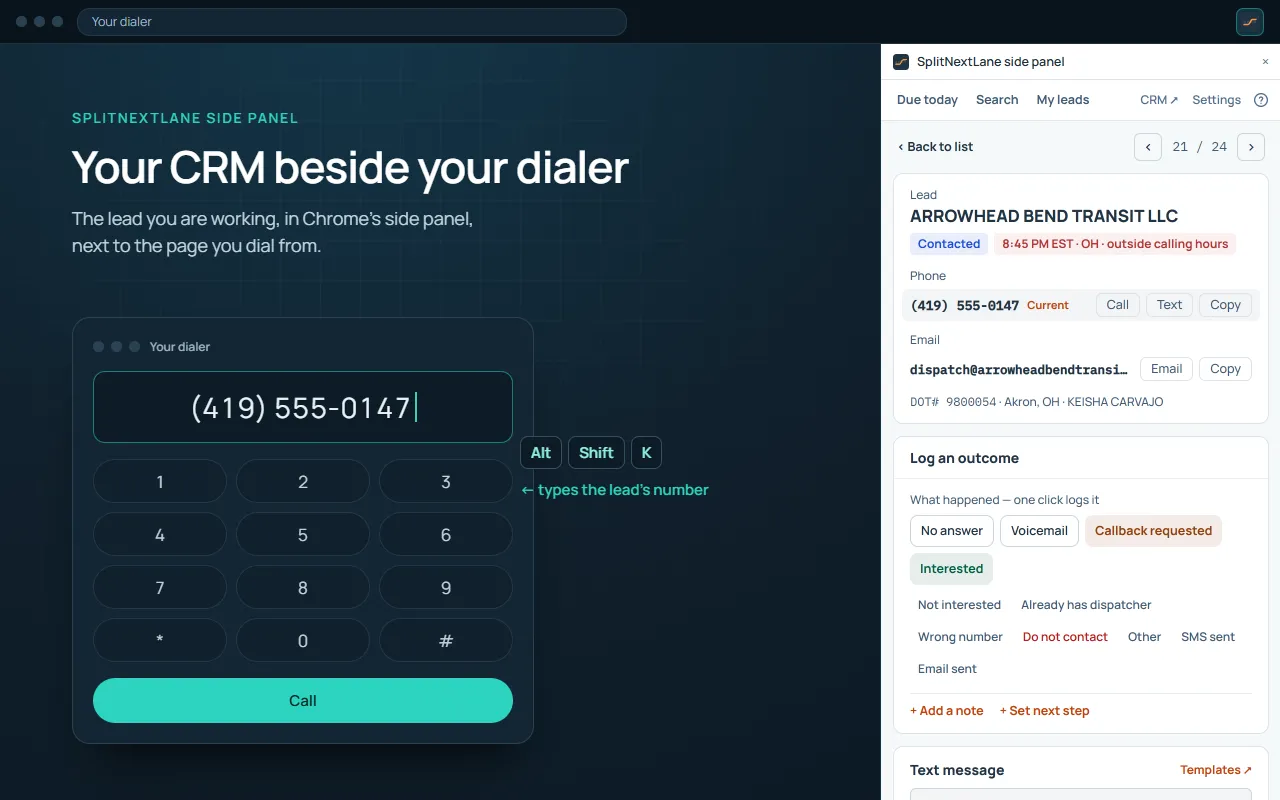
No answer, voicemail, interested: one click in the panel logs the outcome with your note and next step, straight into the CRM. Prefer the keyboard? Give any outcome a key of your own in Chrome.
Every key copies the number or message, and with “Shortcuts also type at the cursor” on, it also types it where your cursor is. With a desktop dialer, or on a page Chrome protects, the key copies and you paste.
It does not read your dialer or any other site, and it sends nothing on your behalf. How the side panel handles data
Scroll to explore
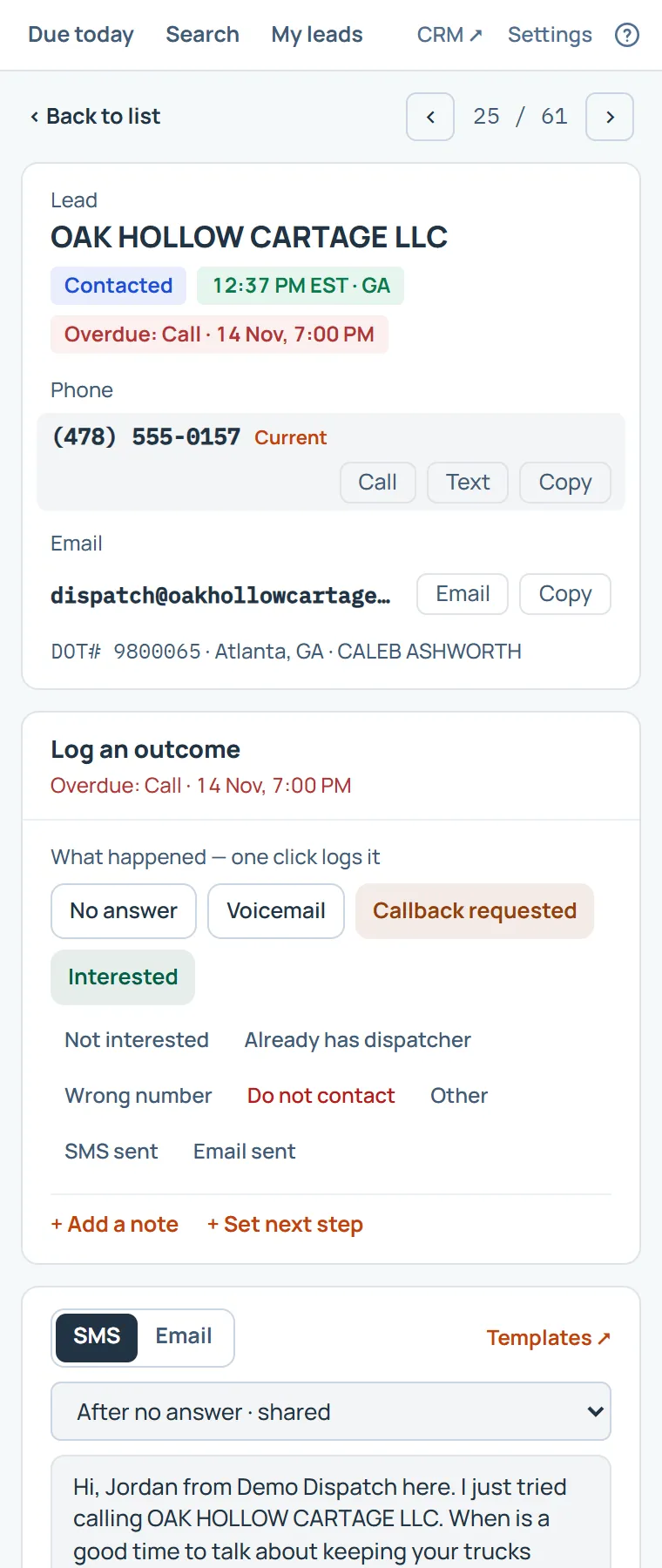
Work the lead without leaving the dialer’s tab: who to call, what to say, and the keys that keep the next call moving. Everything you log lands in the CRM.
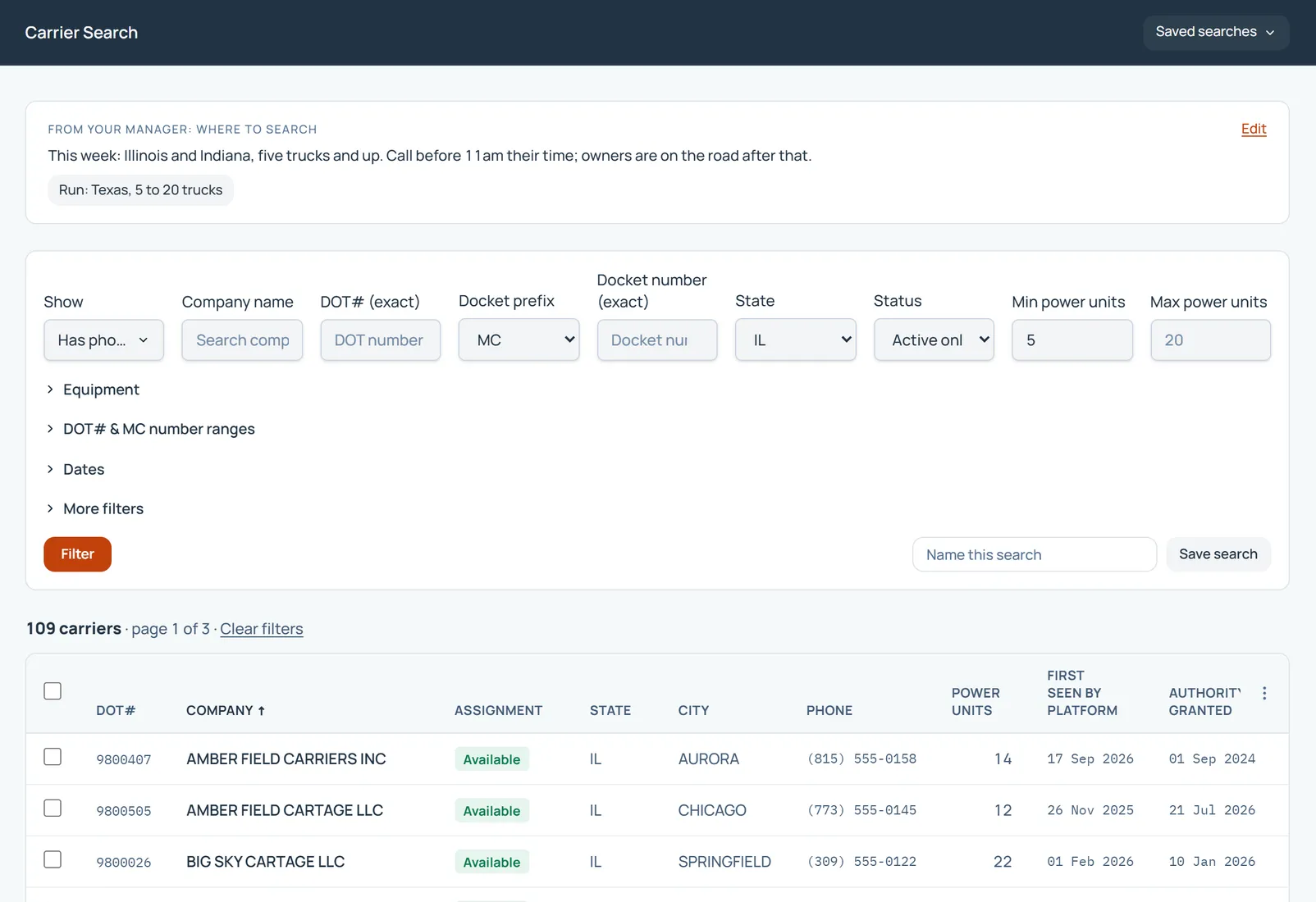
Filter by authority date, state, fleet size, truck type or contact details, then claim carriers in one click. No CSV imports, no per-lead fees.
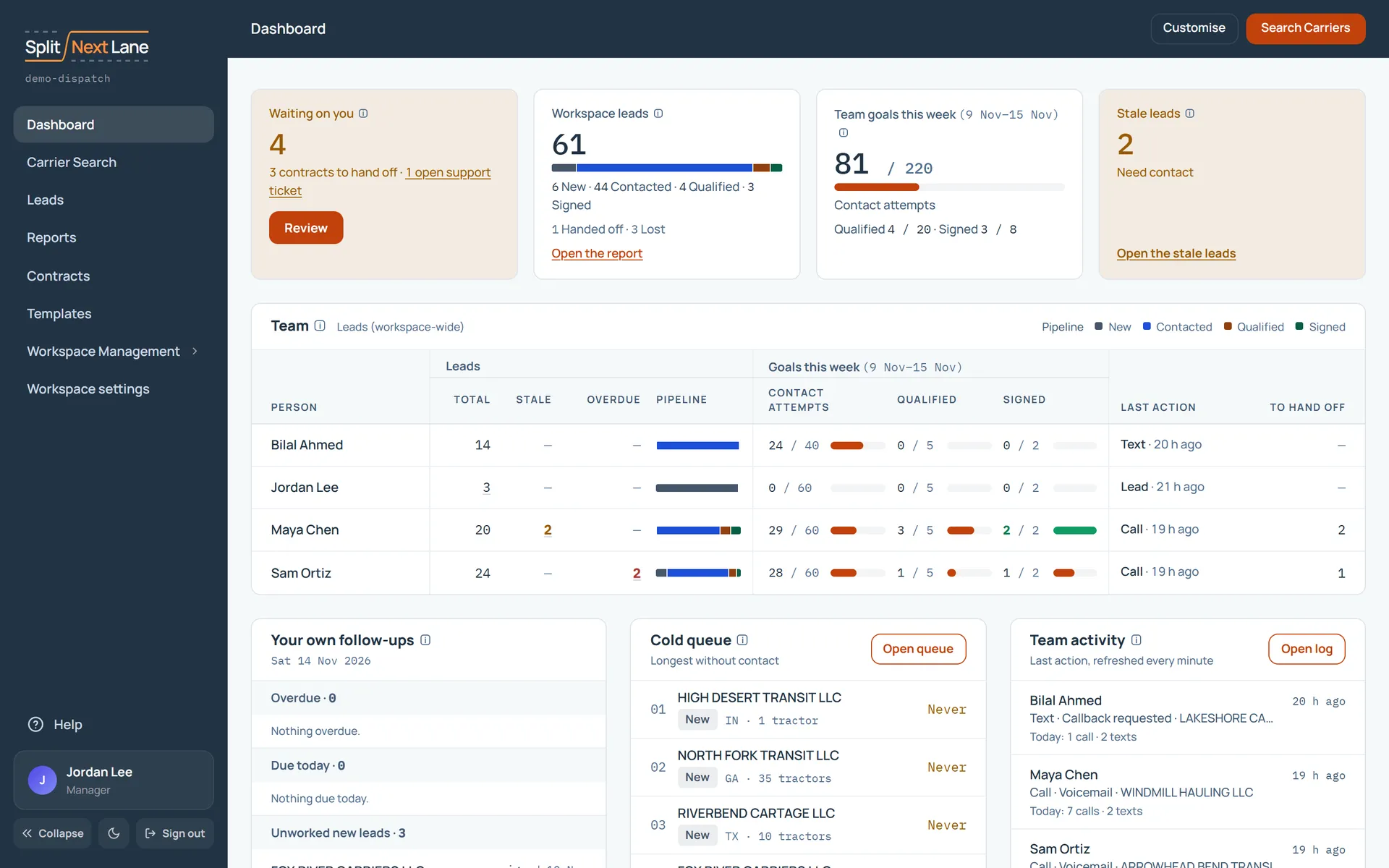
Every caller’s leads, contact attempts, overdue follow-ups and last action, beside the week’s goals. No more end-of-day check-ins.
One workspace for what a dispatch agency’s sales desk usually stitches together.
Switching tabs between every call
The lead sits beside your dialer. Type the number, log the call and move to the next lead by keys.
The carrier-lookup tabs and the registry scraper
Registered carriers already gathered, filtered and cleaned into one record each, refreshed daily, with new authorities a filter away.
The shared lead spreadsheet
Every carrier has one owner and one status, so callers don’t double-dial and warm leads don’t go cold.
The end-of-day check-ins
Leads, attempts, overdue follow-ups and goals for every caller, on one dashboard that updates as they work.
A connected sales workflow for agencies selling to US carriers. Work from the CRM or from the side panel, and keep your momentum through a calling block.
Sample only. No call is made and nothing is saved.
Set the targets, watch the numbers move, and step in before a lead goes cold. Your whole desk on one screen.
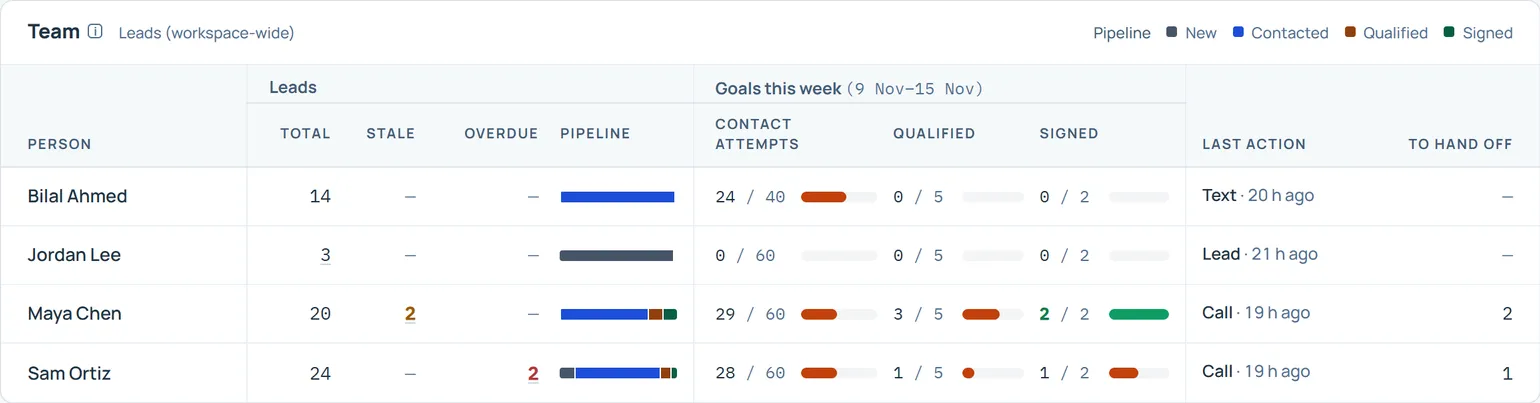
Weekly and monthly targets for contact attempts, qualified leads and signed carriers. One default for the team, overrides for anyone who needs them.
Each SDR’s latest action and what they’ve logged today, refreshed every minute. No more asking for updates.
Leads worked, qualified and signed, with conversion rates and contact attempts over time. Export any report to CSV.
Overdue follow-ups and stale leads are flagged per person, and any lead can be reassigned from its page.
Accountability, not surveillance: Split Next Lane tracks the work your SDRs log, never whether they’re online, which pages they open, their device or their location.
Assign leads, set the goals, and see who is on pace, who is behind and whose follow-ups are overdue, at a glance. When a carrier signs, the handoff lands with you.
Their own carriers in one list, the side panel beside their dialer, one click to log every call, and a queue of what’s due today. They see their own goals too, and never dial a carrier a teammate already owns.
Self-service and comprehensive support
Your SDRs learn Split Next Lane as they use it, so they are working leads from day one. When you need us, support is a ticket or an email away.
The first time you open a page, a short guided tour shows you around it. Each page also has a short video and a written guide, a click away in Help.
Send a support ticket from inside the CRM, or email support@splitnextlane.com, and we reply.
Help on every page has Suggest a feature. The team reads every suggestion when deciding what to build next.
Any dialer you use in a Chrome tab. Every key copies the number or message, and with “Shortcuts also type at the cursor” on, it also types it where your cursor is, as a paste would. With a desktop dialer, or on a page Chrome protects, the key copies and you paste. With a desk phone or a mobile, the panel still shows the numbers and logs the call.
Split Next Lane focuses on carrier sales: finding leads, managing ownership, recording calls, and planning follow-ups. It is not a load management system.
No. Carrier Search holds more than 120,000 active for-hire freight carriers, already gathered, filtered and cleaned by our data pipeline into one record per carrier, and refreshed daily. Filter by authority date, state, fleet size, truck type or contact details, then add carriers straight to your pipeline. There are no per-lead fees.
Yes. Your dashboard shows every SDR’s leads, overdue follow-ups and latest action, refreshed every minute, against the weekly and monthly goals you set for them. Reports break down leads worked, qualified and signed per person. It tracks the work they log, never their screen, device or location.
It puts the lead you are working in a Chrome side panel beside your dialer: the carrier, its numbers, one-click call outcomes, your SMS and email templates and notes. Keys type the lead’s number where your cursor is, log the call and open the next lead, so your hands stay on the dialer. Everything you log lands in the CRM at once.
Yes. Every page has a guided tour the first time you open it, and its own short video and written guide. When you need us, send a support ticket from inside the CRM or email support, and suggest features from Help: the team reads every suggestion.
Yes. Start a 3-day free trial of Core, no card today. The side panel is included.
No. Every workspace searches the same carrier records. Assignment organizes your team’s ownership inside your workspace; it does not make a carrier exclusive to you.
Give carrier sales a lane of its own.