Something is wrong, or you have a question
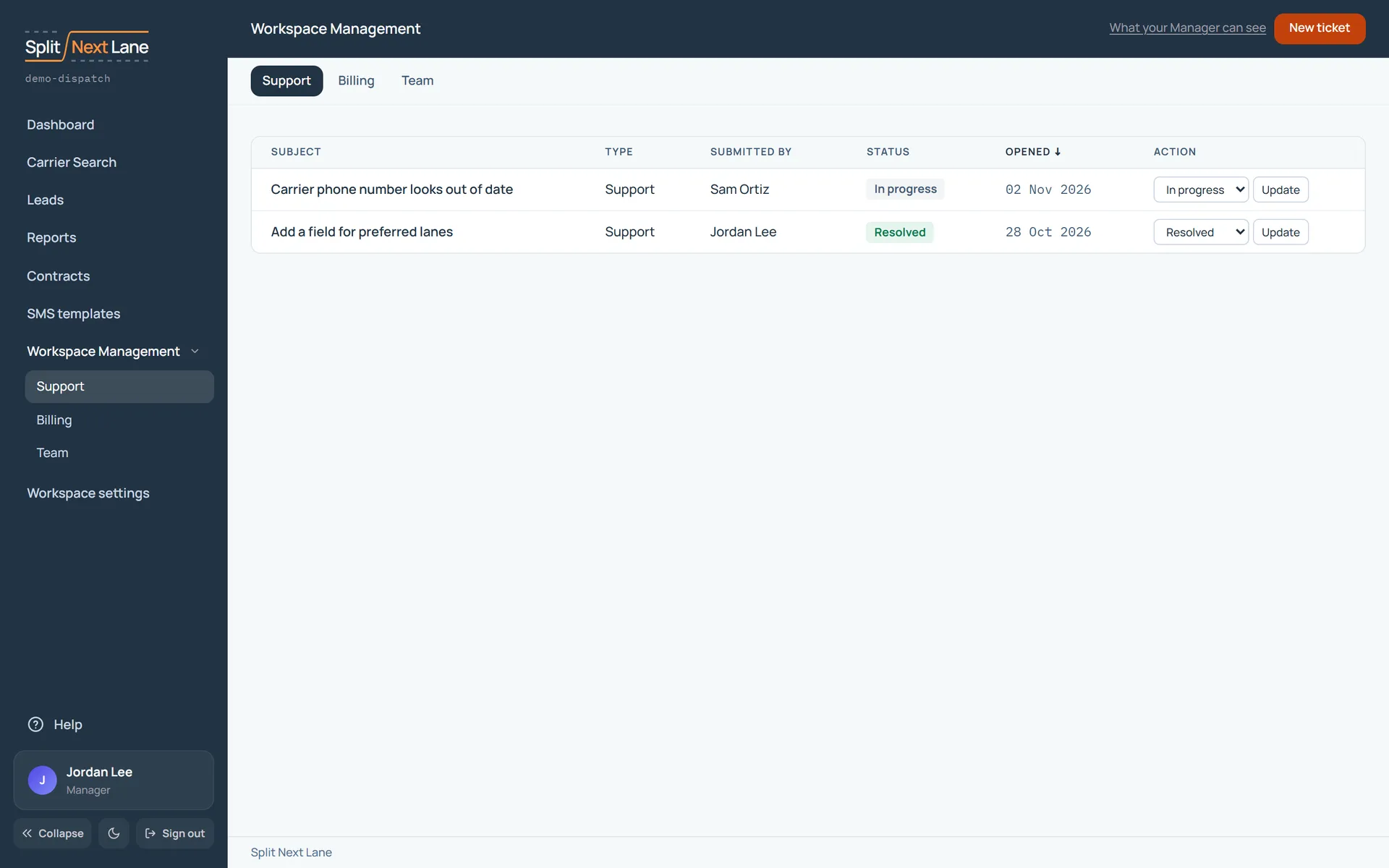
- Open Support, under Workspace Management in the menu on the left.
- Choose New ticket.
- Tell us what you were doing and what happened, and choose Submit ticket.
Your tickets stay on that page, so you can see what you have asked.
Support is in a Manager’s menu on the left. An SDR who needs help can ask their Manager to send a ticket, or write to us at support@splitnextlane.com.
You need a report the Reports page does not give you
On Reports, a Manager can choose Request a special report. Say what it should show, the dates and people it covers, and when you need it. Then choose Send request.
You can also write to us at support@splitnextlane.com.
On this page
The same steps the page’s tour shows the first time you open it. Replay it any time from Help.
- Running your workspace Managers only
Support, Billing and Team, side by side.
- Ask us for help
New ticket sends a question or a problem to our support team.
- Your tickets
Managers: Every ticket in the workspace and where it stands.
SDRs: Your tickets and where they stand.
Something missing, or a way this page could work better for you? In the product, open Help and choose Suggest a feature. We read every suggestion.