Every new workspace starts with a 7-day trial of Core, for up to 5 users, with no card needed.
Create your workspace
- Open Sign up.
- Enter your company name and choose your workspace’s address. This is where your team will sign in.
- Add your name, email, phone number and a password.
- Choose Claim my lane.
You are the Manager on the workspace you create. Managers run the workspace and assign the work; SDRs work the leads they hold.
Invite your SDRs
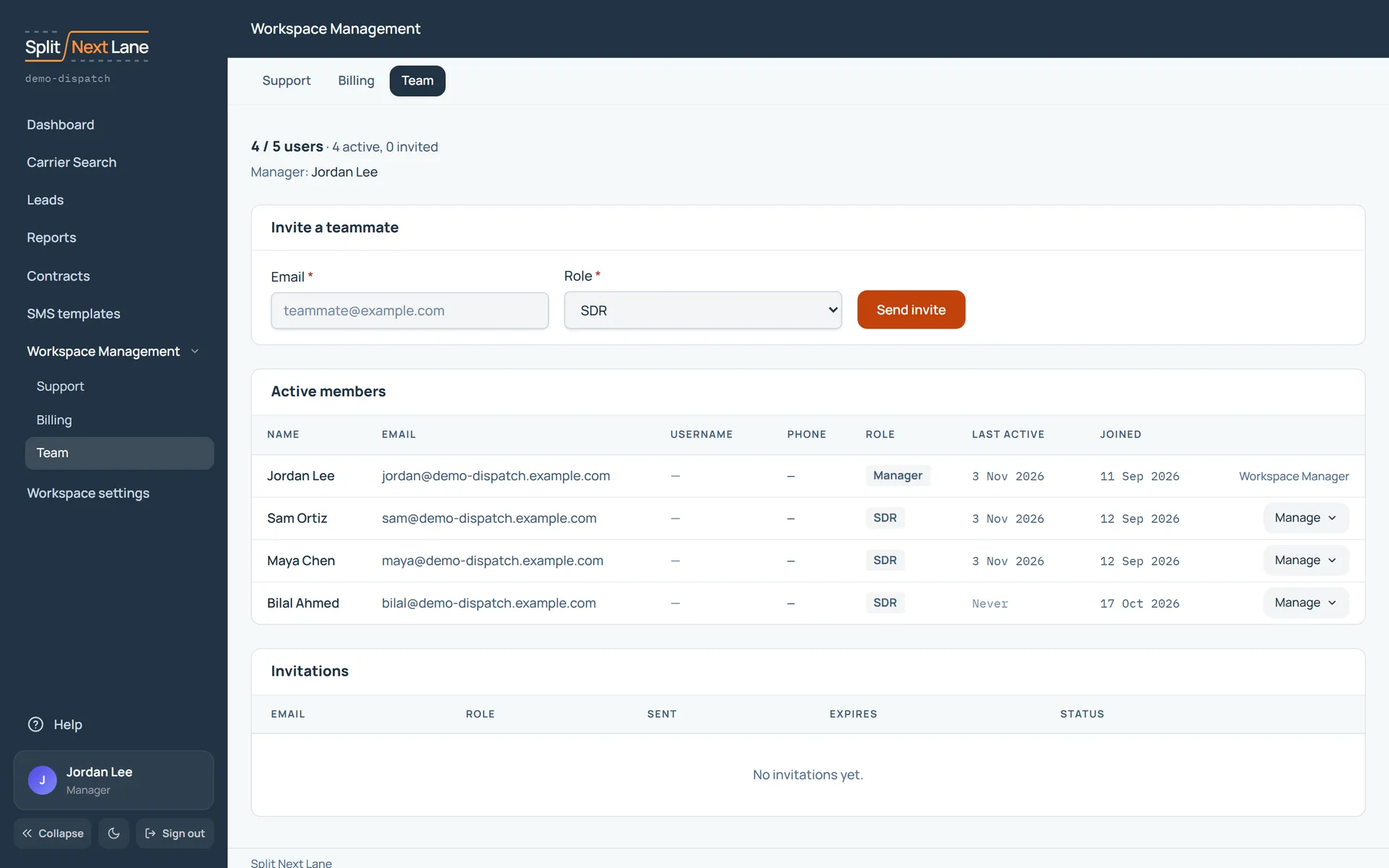
- In the menu on the left, open Workspace Management, then Team.
- Under Invite a teammate, enter their email address, choose their role, and choose Send invite.
- Each person opens the link in their invite email to join. Someone who was invited should use that link rather than signing up on their own.
Your trial counts active members and pending invites together, up to 5.
Give them goals and a place to start
- Set weekly targets on Reports, Goals. See Set goals and read them.
- Write a note on where to search: it shows at the top of Carrier Search and on your SDRs’ dashboards. See Where to search: a note for your SDRs.
- Assign carriers from Carrier Search, or let SDRs add their own.
Before the trial ends
Choose Core from your workspace’s billing page to keep working. See Choose your package.
Something missing, or a way this page could work better for you? In the product, open Help and choose Suggest a feature. We read every suggestion.