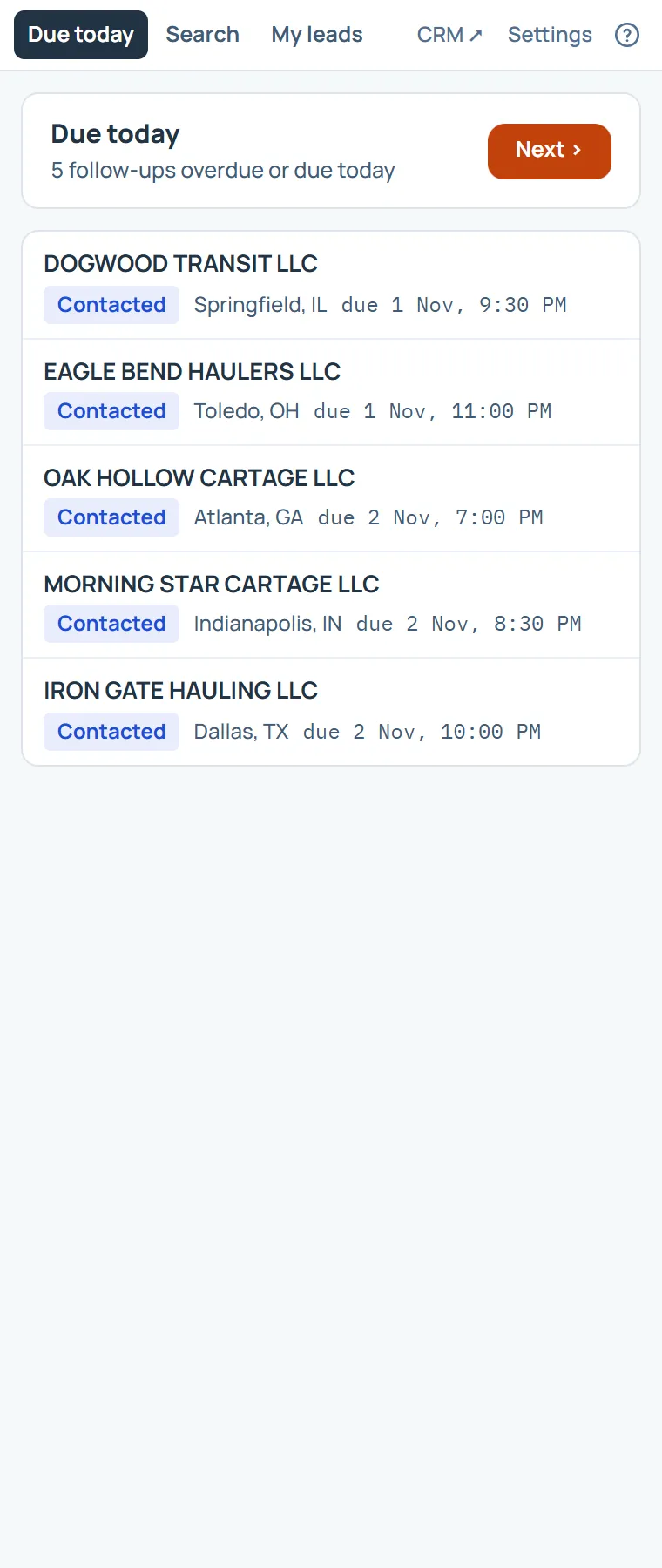
Due today is the panel’s first page: your follow-ups that are overdue or due today, each with what is due.
Choose Next to open the first one, and the Next lead key (Alt+Shift+.) walks the rest. Click any lead to open it in the panel.
The bar at the top switches between Due today, Search and My leads. CRM opens the full product in a new tab, and Settings arranges the panel.
On this page
The same steps the page’s tour shows the first time you open it. Replay it any time from Help.
- The panel's pages
Due today, Search and My leads. CRM opens the full product in a new tab, and Settings arranges the panel.
- What is due
Your follow-ups overdue or due today. Next opens the first one, and the Next lead shortcut walks the rest.
- The leads
Each lead with what is due. Click one to open it here in the panel.
Something missing, or a way this page could work better for you? In the product, open Help and choose Suggest a feature. We read every suggestion.