If you set the same filters every morning, save them once.
Save a search
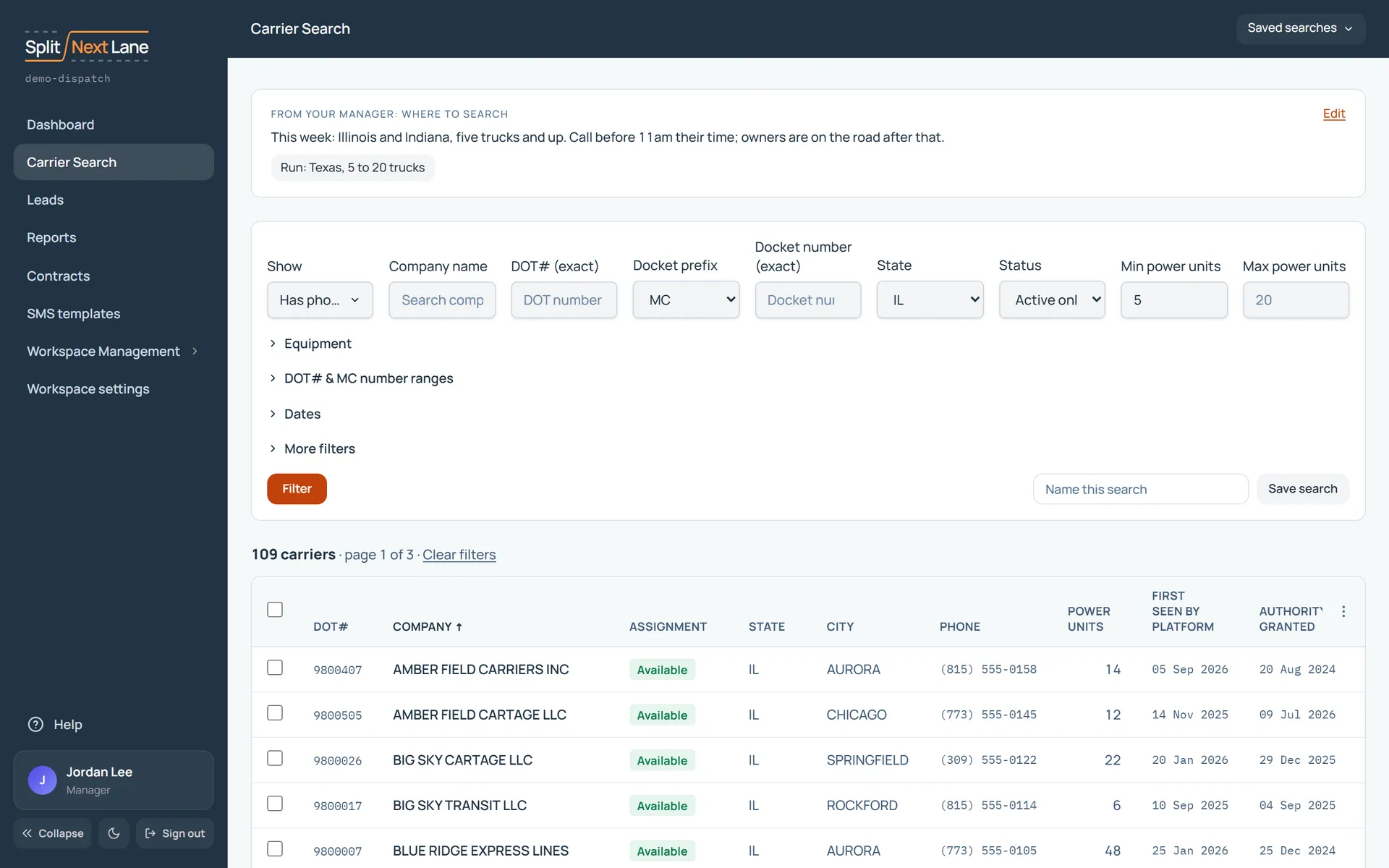
- In Carrier Search, set your filters and choose Filter.
- Beside the Filter button, type a name you will recognise next week in Name this search.
- Choose Save search.
Use it again
Open Saved searches and choose the one you want. The page tells you which search is running.
Share, rename or delete
In Saved searches, each search you own can be renamed or deleted. A Manager can also share one with the team (Share with team) and take it back (Stop sharing).
A saved search stores the filters, not the carriers. Run it tomorrow and you get tomorrow’s list, including carriers that were not there today.
Something missing, or a way this page could work better for you? In the product, open Help and choose Suggest a feature. We read every suggestion.