This page is for Managers.
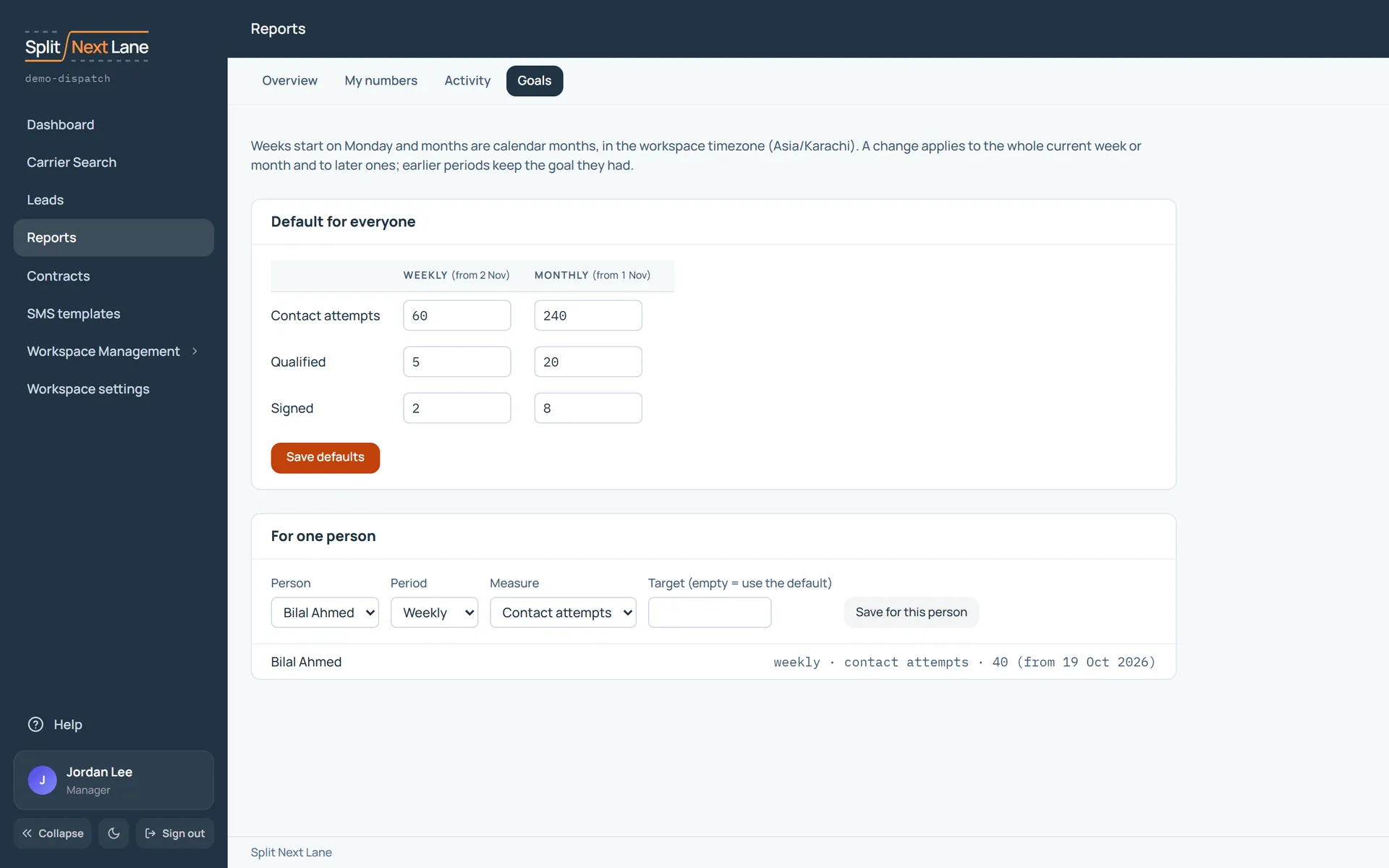
You can set a target for three numbers: Contact attempts, Qualified and Signed. Each has one for the week and one for the month.
Set a goal for everyone
- Open Reports, then Goals.
- Under Default for everyone, enter the targets for the week and the month.
- Choose Save defaults.
Set a different goal for one person
Under For one person, choose the person and enter their target. Leave a target empty and they use the default. Choose Save for this person.
How the periods work
Weeks start on Monday. Months are calendar months. Both follow your workspace’s time zone. A change applies to the whole of the current week or month and to later ones; earlier periods keep the goal they had.
Where people see them
The dashboard shows this week’s targets, and a bar turns green when its target is met. SDRs see their own goals. Managers see everyone’s.
On this page
The same steps the page’s tour shows the first time you open it. Replay it any time from Help.
- Goals for everyone
The weekly goals every person works to, unless you set different ones for them below.
- Goals for one person
Give one person their own goals. They see their progress on their dashboard and in My numbers.
Something missing, or a way this page could work better for you? In the product, open Help and choose Suggest a feature. We read every suggestion.