Calls happen on your own phone or dialer. Split Next Lane keeps the record, so the next person to open the lead knows exactly where it stands.
Log what happened
- Open the lead.
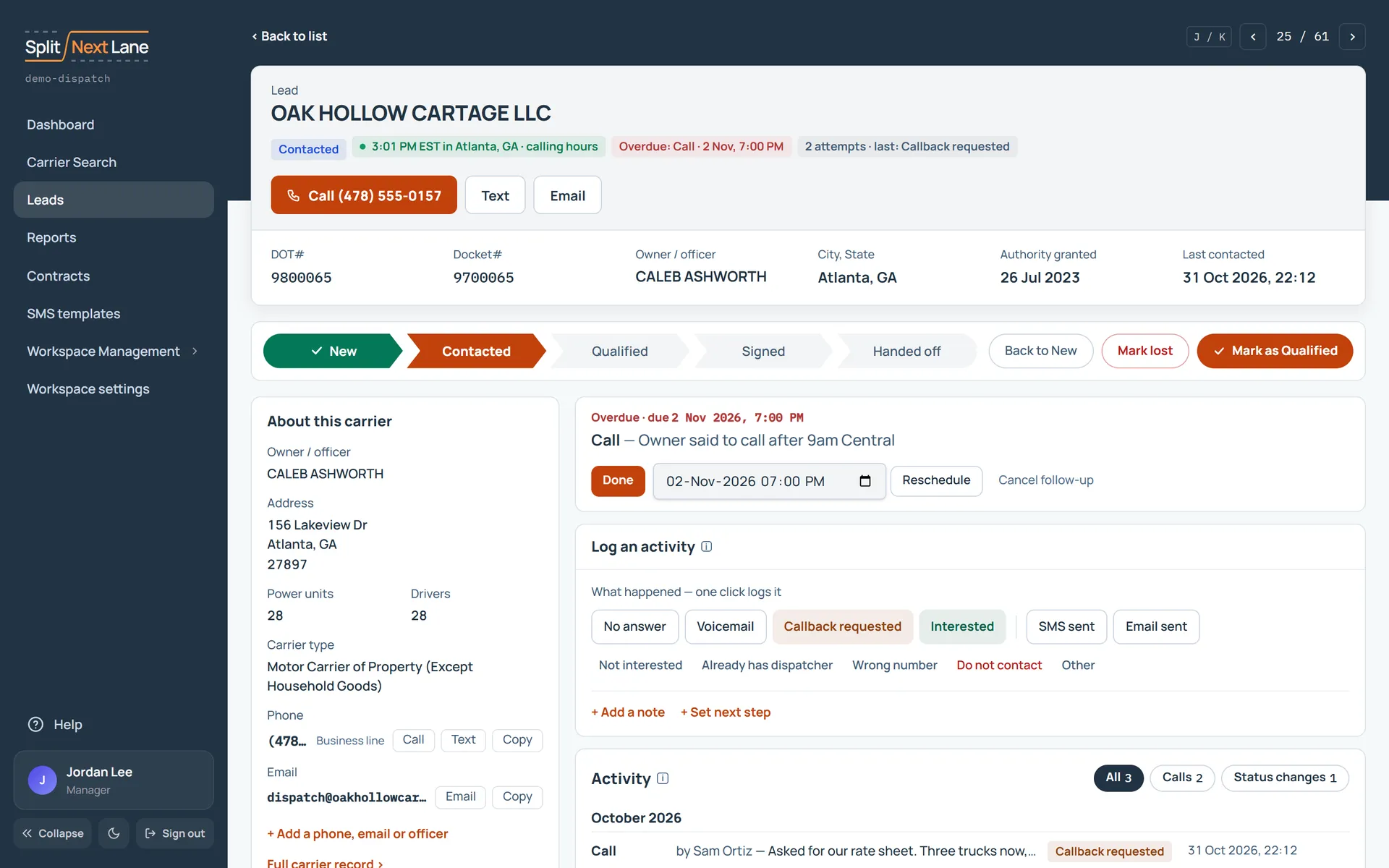
- Under Log an activity, choose the outcome: no answer, voicemail, callback requested and so on. One click logs it.
- Add a note if there is something the next call should know.
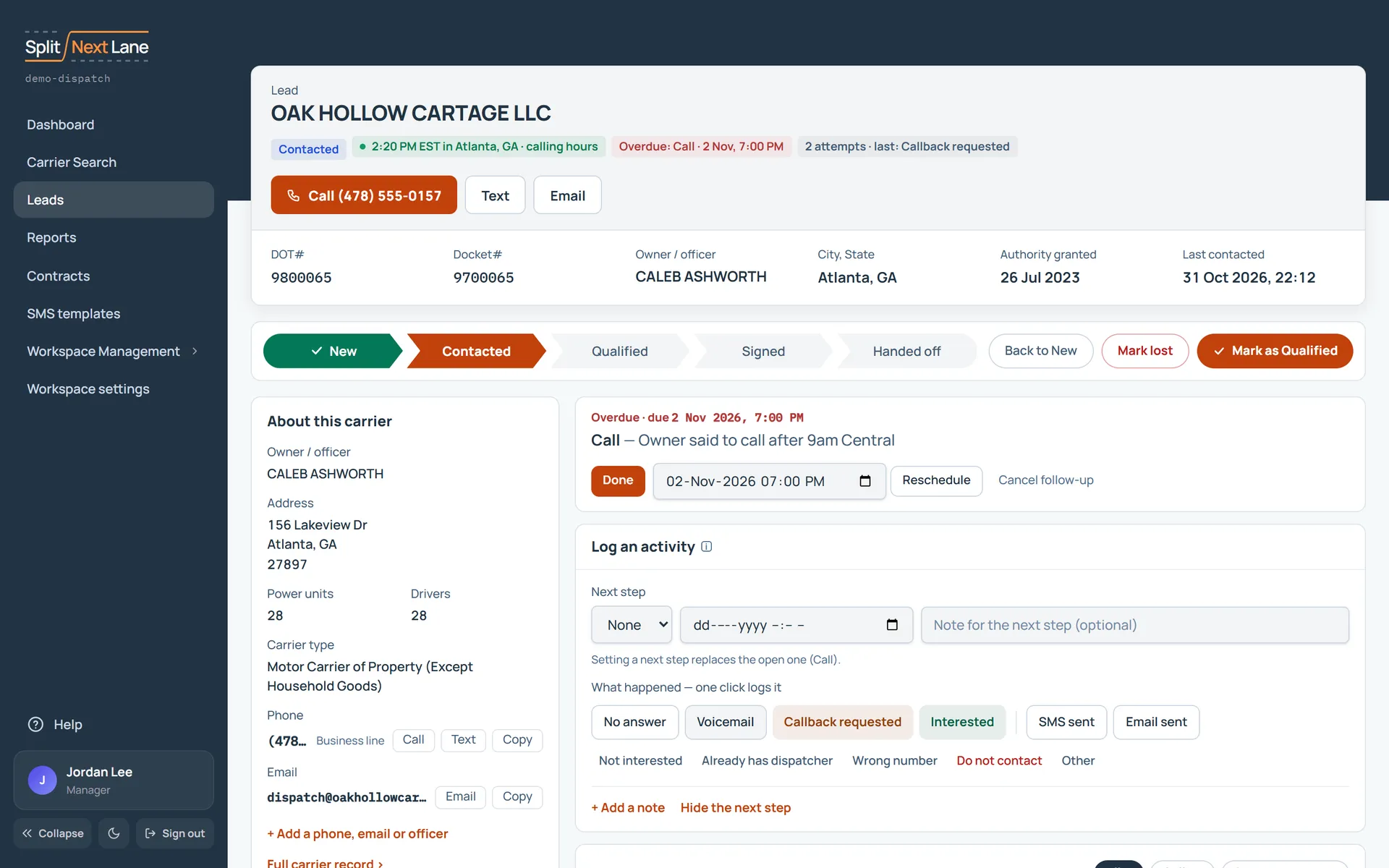
Set the next step
Choose + Set next step when you log the activity and give it a date. A follow-up is set when a contact is logged with a next step. Calling hours are judged in the carrier’s own time zone.
Work through what is due
Your Dashboard lists the follow-ups that are overdue or due before the end of today, in your workspace’s time zone. Choose Start to open the first one; it walks you through the rest in order.
Move the lead along
A status does not move by itself, and logging a call leaves the lead where it is. As the conversation moves, choose the button at the end of the stage bar on the lead’s page: Mark as Contacted, then Mark as Qualified, then Mark as Signed. If it is not going to happen, choose Mark lost. See The pipeline: what each status means.
When a carrier signs, a contract record is created and your Manager is notified to acknowledge the handoff.
On this page
The same steps the page’s tour shows the first time you open it. Replay it any time from Help.
- Where this lead stands
Its status, the carrier's own time (green inside calling hours), the next follow-up, and how many times it has been contacted.
- Work through your list
Back returns to the list you came from. The arrows (or J and K) open the previous or next lead.
- Call, text, email
Call, Text and Email use the carrier's number and address. What they open is your choice in your profile.
- Move the lead along
The lead's stage. Mark it as the next stage when it moves forward, or Mark lost.
- The next follow-up
What is due next on this lead. Done closes it; you can also reschedule or cancel it.
- Log an activity
One click on an outcome logs a call. SMS sent and Email sent log a text or an email you sent yourself. Add a note or a next step first to save them with it.
- Everything that happened
Every call, text, email, note and status change on this lead, newest first.
- Lead details
Managers: Who owns the lead and since when. Reassign hands it to someone else on the team.
SDRs: Who owns the lead and since when. Your Manager can reassign it.
- Lead notes
Notes for your team: what to read before the next call.
- Documents
Attach files to this lead, such as a signed agreement or a carrier packet.
- About this carrier
The carrier's numbers, email, address and officers. Add a number or an email you found yourself. A link opens the carrier's page on the government's public register in a new tab.
Something missing, or a way this page could work better for you? In the product, open Help and choose Suggest a feature. We read every suggestion.