This page is for Managers.
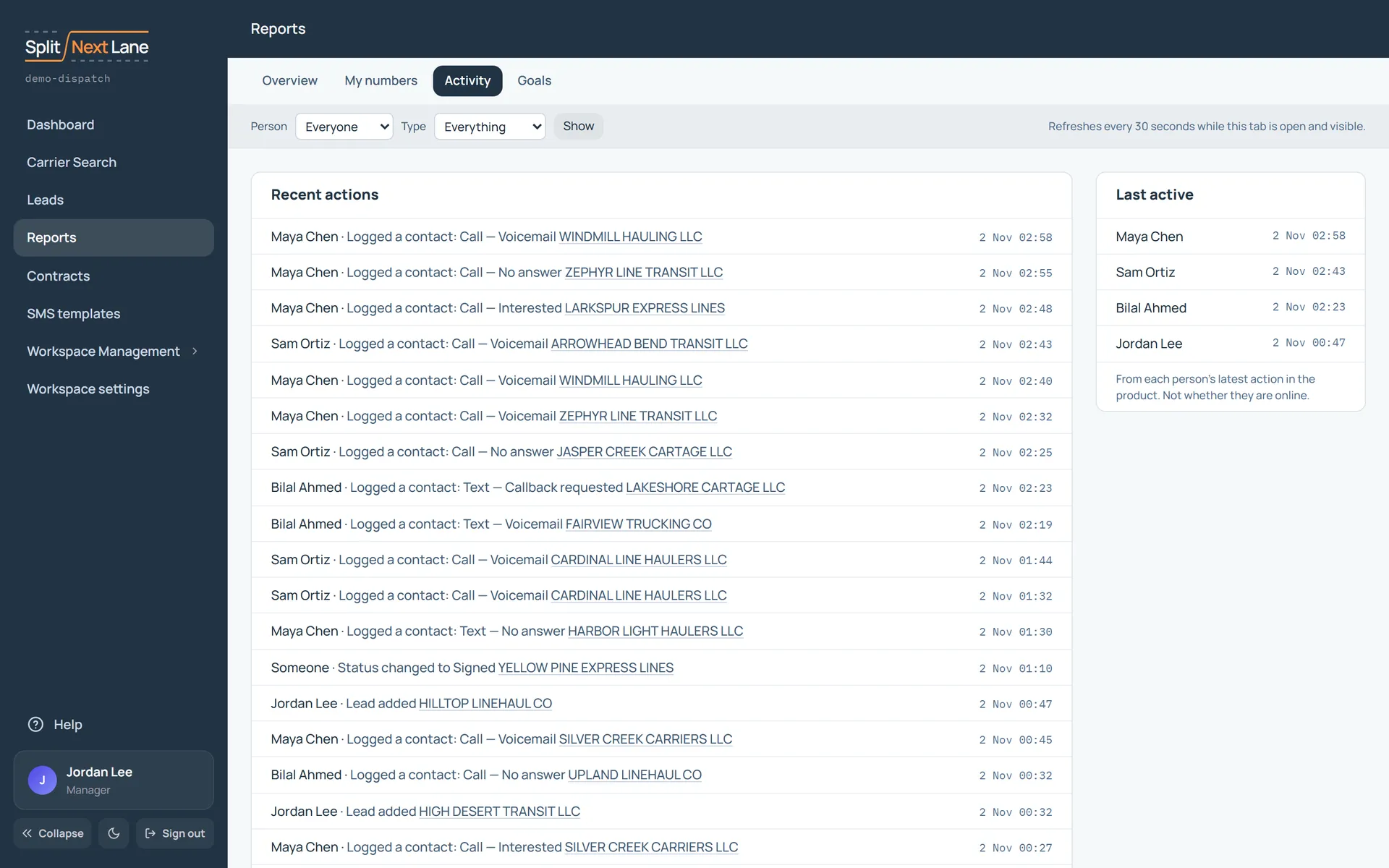
Activity, under Reports, is a feed of what your team does in the product: calls, texts, status changes, leads added, newest first. It refreshes every 30 seconds while the tab is open.
Show everyone, or one person, and one kind of action. Load older actions at the bottom.
Last active is when each person last did something in the product. It does not say whether they are online, and nothing records which pages they open or for how long. See Who sees what.
On this page
The same steps the page’s tour shows the first time you open it. Replay it any time from Help.
- Whose activity
Show everyone, or one person, and one kind of action. The list refreshes every 30 seconds while this tab is open.
- Recent actions
Calls, texts, status changes and more as they happen, newest first. Load older ones at the bottom.
- Last active
When each person last did something in the product. It does not show whether they are online.
Something missing, or a way this page could work better for you? In the product, open Help and choose Suggest a feature. We read every suggestion.