Your Dashboard opens when you sign in. It is your day at a glance, and it is different for a Manager and for an SDR.
For an SDR
Follow-ups overdue and due today, with Start to work through them one by one; your leads by status; your goals this week; and the leads that need contact. If your Manager has written a note on where to search, it is at the top. See An SDR’s day.
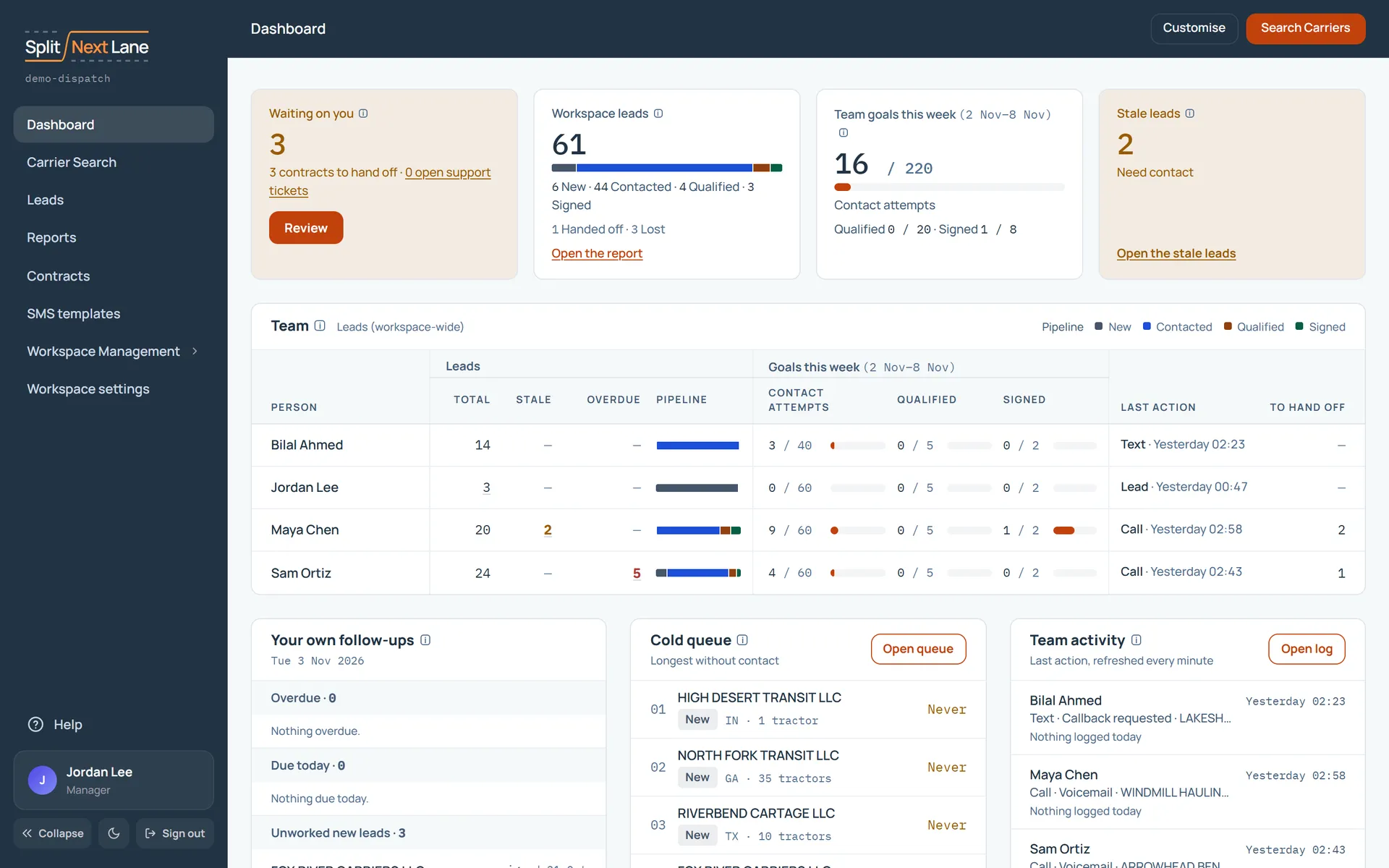
For a Manager
What is waiting on you (contracts to hand off, open support tickets), every lead by status, the team’s goals, and the Team card: each person’s leads, overdue follow-ups, goals and last action, side by side. Below it, your own follow-ups, the cold queue and the team’s activity, refreshed every minute.
Make it yours
Customise chooses which cards show and in what order. It changes only your own dashboard. See Make the screens yours.
On this page
The same steps the page’s tour shows the first time you open it. Replay it any time from Help.
- Your day at a glance
Managers: These cards sum up the workspace: what is waiting on you, every lead by status, the team's goals this week and the leads that need contact.
SDRs: These cards sum up your day: follow-ups overdue and due today (Start works through them one by one), your leads by status, your goals this week and the leads that need contact.
- Your team Managers only
Each person's leads, overdue follow-ups and this week's goals, side by side. SDRs don't see this card.
- The work itself
Managers: Your own follow-ups, the cold queue (the leads longest without contact) and the team's activity, which refreshes every minute.
SDRs: Your follow-ups and your leads, ready to open. Click a lead to work it.
- Make it yours
Customise chooses which cards show and in what order. It changes only your own dashboard.
- Find new carriers
Managers: Search Carriers opens Carrier Search, where you find carriers and assign them to your team.
SDRs: Search Carriers opens Carrier Search, where you find carriers and add them to your leads.
Something missing, or a way this page could work better for you? In the product, open Help and choose Suggest a feature. We read every suggestion.